
Every static contact form on the internet has the same problem.
The visitor is interested. They landed on your site because they had a question. They scrolled. They read. And then they hit a form asking for their name, email, phone number, and a summary of their problem — before they’ve even decided whether you’re the right business to talk to.
Most of them close the tab.
The ones who do fill it out do the bare minimum. You get an email three hours later. You reply. They ask a follow-up. You reply. Two days pass. They’ve moved on.
There’s a better way. It’s called conversational lead generation. It’s not a chatbot in the customer-support sense. It’s a small tool that lives on your site, greets your visitors, answers their questions in real time, and asks for their contact details at the exact moment they’re ready to talk.
This is the complete guide. What it is. Why it works. How to set one up in under an hour. When it’s the right fit — and when a form is still fine.
If you run a small business site, or you install lead capture tools on client sites for a living, this is what you need to know.
What conversational lead generation actually is
Conversational lead generation is exactly what it sounds like: generating and capturing leads through a real conversation instead of a form.
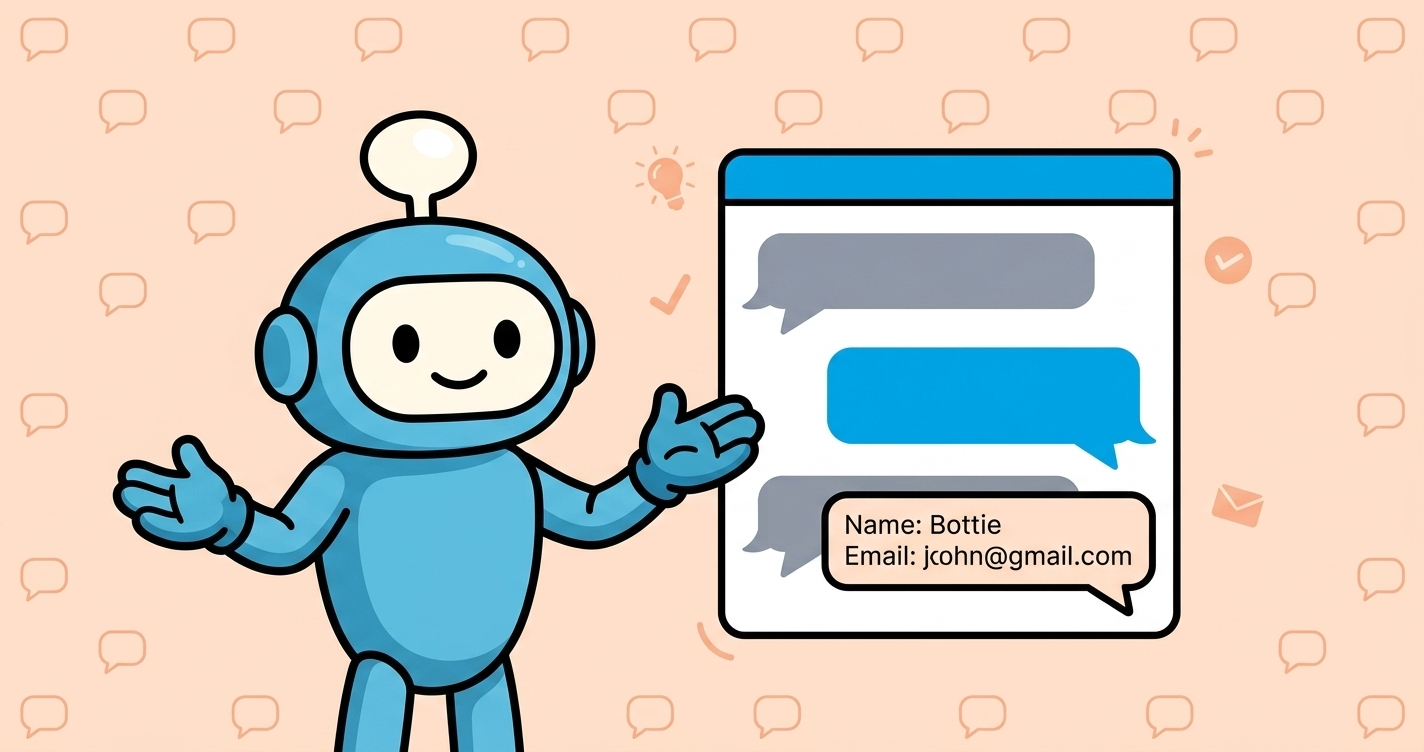
A small widget sits on your website. When a visitor lands, it greets them. It answers their questions using knowledge about your business — services, pricing, hours, what makes you different. It follows the visitor’s lead: someone asking about pricing gets pricing; someone asking about your team gets your team. And when the conversation reaches the point where the visitor is clearly interested in working with you, the widget asks for their name and email so someone from your team can follow up personally.
That’s it. No forms. No decision trees. Just a conversation that adapts to what the visitor actually cares about, and captures contact details when trust has been earned.
The category has a few names — conversational lead generation, conversational lead capture, conversational marketing, AI lead capture. The mechanics are the same: replace the static form with a live conversation, and let the visitor’s own questions drive the exchange.
Two things worth naming up front.
First, this is not a customer support chatbot. Support bots are trained to close tickets. Conversational lead capture bots are trained to open sales conversations. Different job.
Second, this is not a full-time human on chat. That’s the alternative. Real humans are great — and expensive. Conversational lead capture gives you most of the benefit at a small fraction of the cost.
The 2% form conversion problem
Static contact forms convert at 2–3% of website visitors on a good day. That’s the industry benchmark. Yours probably does too.
Here’s why they cap out there.
2%
Average contact form conversion rate — industry benchmark
Forms ask for commitment before the visitor has decided anything.
They’re a transaction: “give me your details, I’ll get back to you.” The visitor has to trust that you’re worth handing over their email for. Most decide they’re not, and leave.
Forms don’t answer questions.
Someone lands on your pricing page with a real question: “Does this work for my specific situation?” The form doesn’t answer. It just asks for their details. So they leave to find someone who does answer.
Forms are one-size-fits-all.
A visitor comparing three vendors and a visitor ready to buy today get the same form. Neither feels seen. Both convert at the same low rate.
Forms live at the wrong moment.
They usually sit on a Contact page. To find them, the visitor has to make three clicks — after they’ve already decided you might be worth contacting. Most drop off before they get there. The result: 98 out of every 100 visitors land on your site, look around, and leave with nothing on either side. You didn’t learn who they were. They didn’t get their question answered. Everyone loses.
The 2% conversion rate isn’t a benchmark to beat with a “better form.” It’s a ceiling on what a form can do at all. Getting past it means giving the visitor something a form fundamentally can’t: an actual exchange.
How conversational lead capture works — the mechanics
The Widget
The chat button on your website. Greets visitors, opens the conversation.
The Knowledge Base
What the bot knows about your business. Your site, docs, price sheets, FAQ.
The Instructions
How you tell the bot to behave. Plain English. No code, no flowcharts.
Under the hood, conversational lead capture is three things working together: a widget, a knowledge base, and a set of instructions.
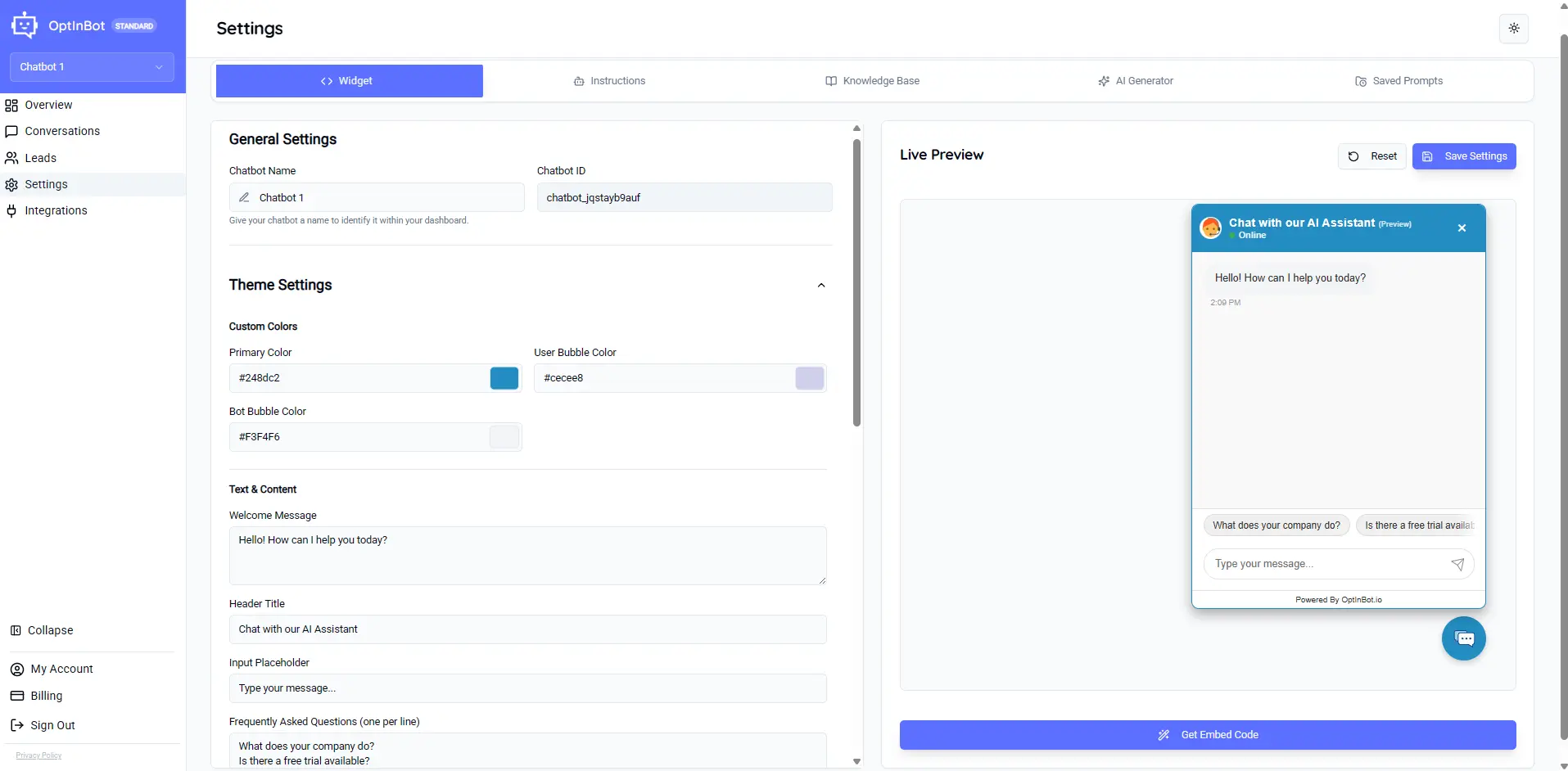
The widget is the small chat button that sits on your website. It appears in the corner. When a visitor clicks it — or when it opens automatically based on time-on-page or scroll depth — a chat window appears. The visitor types a question. The bot answers. Back and forth, like any conversation.
The knowledge base is what the bot draws on to answer. You feed it your website (auto-scraped), your service brochures, your price sheets, your FAQ. The bot pulls answers from that content. If a visitor asks a question your knowledge base covers, the bot answers accurately. If they ask something outside the knowledge base, the bot either says so honestly or hands off to a human.
The instructions are how you tell the bot to behave — in plain English. Not code. Not a flowchart. A short paragraph that describes what the business does, who it’s for, and when to ask for contact details. Something like:
“You are a helpful assistant for [Business Name]. Answer visitor questions naturally. When the visitor is clearly interested in working with us, ask for their name and email so we can follow up.”
Those three pieces, together, produce a real conversation. The widget presents the interface. The knowledge base supplies the substance. The instructions shape the personality and the ask. The magic isn’t in any one of them. It’s in how they combine. A widget with no knowledge base is a generic AI chatbot. A knowledge base with no instructions is a search engine.
Instructions with no widget are a document. Put them together and you get a lead capture tool that talks like a member of your team.
Where it beats a form and where it doesn’t
- Service businesses with inbound traffic. Bookkeeping firms, HVAC companies, coaches, dentists, lawyers, real estate agents. Prospects have questions before they buy — the bot answers them.
- Higher-consideration purchases. The visitor is comparing options. Dialogue helps them qualify themselves — and helps you qualify them.
- Sites with more traffic than you can chat with. 1,000 monthly visitors and it's just you? Live chat isn't realistic. A trained bot fills the gap.
- Off-hours capture. A form captures at the same low rate at 2am on a Sunday as at 2pm on a Tuesday. A conversation captures at any hour.
- Newsletter signups. Nobody wants a conversation to hand over their email for a newsletter. Static form works fine.
- Simple event RSVPs. One-off yes/no data collection. No dialogue needed.
- Ecommerce checkout. Checkout is transactional. Adding a chatbot slows it down.
- Low-consideration purchases. If someone's buying a $5 sticker, they don't want to talk to a bot. They want a "buy now" button.
The test is simple: does the visitor have questions before they’d feel comfortable handing over their contact details? If yes, conversational lead capture. If no, the form is fine.
Most small service businesses fall firmly in the first camp. Their potential customers have questions. Their forms don’t answer them. The math changes fast when you stop ignoring those questions.
Setting one up in under an hour
-
1
Pick a tool
Enterprise platforms bill $10K/year with annual contracts. Focused tools like OptinBot go for $25/month for three chatbots. Pick what fits.
-
2
Point it at your website
Every serious tool auto-scrapes your site as a starting knowledge base — services, pricing, about, FAQ, all of it.
-
3
Upload the supporting docs
Anything a smart new hire would need on day one to close a sale. Price sheets, case studies, common objections. Not brand guidelines, not HR policy.
-
4
Write your instructions in plain English
Short paragraph. What the business does, when to ask for contact details, what disqualifies a visitor. Modern tools include a live preview so you can iterate fast.
-
5
Customize the widget
Change the color, the welcome message, and the avatar to match your brand. A specific greeting outperforms a generic one every time.
-
6
Test it live
Open the widget preview and act like a visitor. Dumb questions, hostile questions, off-topic questions. Rewrite the instructions until it feels right.
-
7
Install one line of code
Every modern lead capture bot installs with a single script tag. WordPress users can follow the WordPress-specific walkthrough.
-
8
Publish
The widget goes live. Conversations start. Leads start landing in your dashboard.
An hour, start to finish. No developer required. No annual contract.
Reading the results — transcripts, ratings, capture rate
The setup is one thing. The tuning is the game. Every serious lead capture tool comes with a dashboard where you can see:
💬 Transcripts. Every word of every conversation. Not summaries — the actual back-and-forth. This is your primary tuning signal. Read them weekly. You’ll see the questions the bot answered badly (fix: update the knowledge base). You’ll see the moments the bot asked for contact details at the wrong beat (fix: adjust the trigger). You’ll see repeated visitor questions that reveal content ideas.
👍 Ratings. Most tools ask the visitor to rate the conversation at the end — thumbs up or thumbs down, with an optional comment. Thumbs-downs are the highest-value signal you’ll ever get. A real visitor cared enough to flag a bad experience. Every thumbs-down transcript points at something specific to fix.
📈 Capture rate. How many conversations turned into captured leads. This is the KPI. Watch it week over week. A well-tuned bot on a small business site will run laps around a static form on the same traffic.
🔔 Lead notifications. Email or Slack alert the moment a lead comes in. Speed to response is one of the biggest predictors of conversion — visitors who hear back within an hour are dramatically more likely to convert than those who wait a day. The tools worth using make this loop easy. Fifteen minutes a week reading transcripts and thumbs-down comments is enough to turn an average bot into a great one. Most operators never do it. The ones who do build something their competitors can’t match.
When conversational lead capture makes sense for your business
If any of these describe your business, conversational lead capture is worth trying:
If none of them apply — you have very little traffic, or your customers buy on impulse without questions, or you’re in an industry where forms already perform above 5% — a form is probably fine. Don’t fix what isn’t broken. The good news: the only way to know for sure is to try it on your actual site for a couple of weeks. Nothing simulates real visitors. Nothing simulates your specific market. Fourteen days of real conversations will tell you more than any case study.